
Article optimization and rewriting
Understand why an article needs attention.
Improve existing content as well as creating new articles. Use search data and review findings to choose the next useful task.
Check the priority first
An article may need a connection check, an indexing review, or an overlap review before rewriting.
Add the information that is missing
Review the materials used for rewriting, add relevant evidence, and choose an AI proposal or manual editing.
Review what happens after the change
Check the proposal, publish the update, and review its history and subsequent data.
The workflow
- Select an article
- Review the next action and reason
- Add materials or rewrite
- Update
- Review progress
An example
Add updated product conditions before revising an outdated section. When two pages answer the same question, review their roles first.
What you can do on screen
- Next steps include reviewing the title and description, adding a section, organizing overlapping articles, considering links, and improving pages that get traffic but few outcomes.
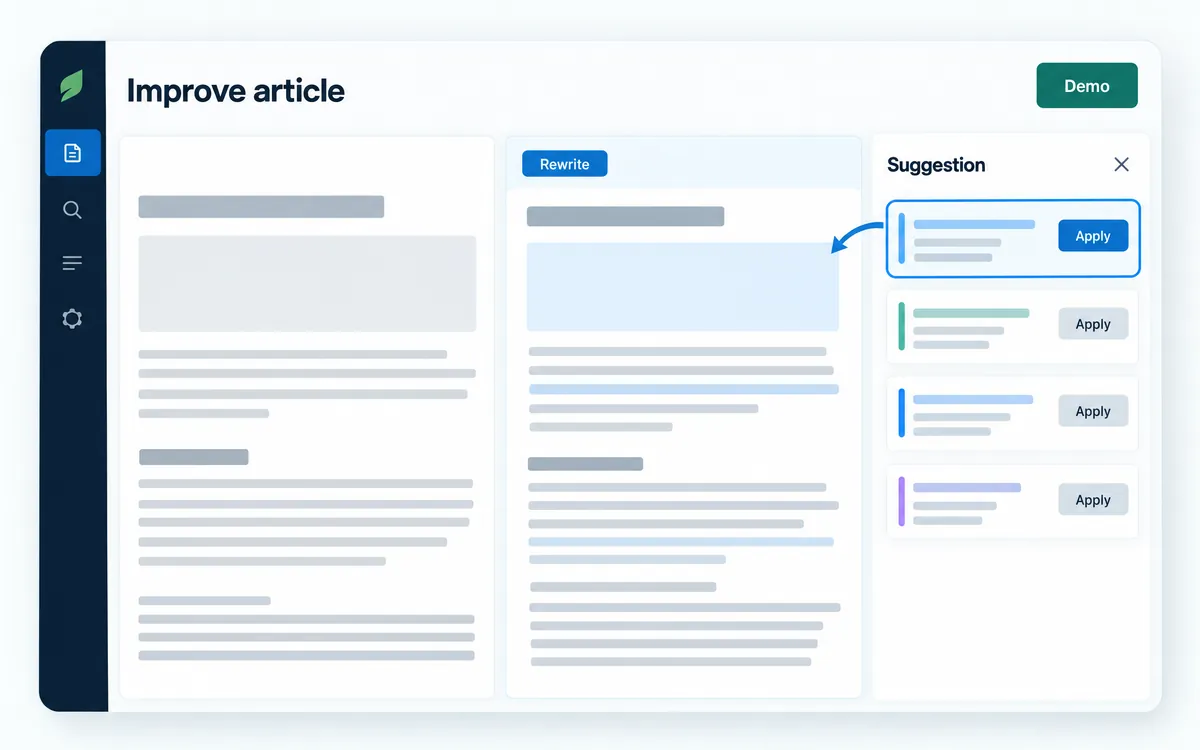
- AI rewrite creates a proposal only. Your WordPress article does not change at this point.
- The proposal separates rewritten sections, corrected figures, unchanged sections, and changes that were not applied.
- Replaced drafts are kept in the draft history instead of being deleted.
- History shows actions taken in SEOAGENT. Changes made directly in WordPress do not appear there.
What to know
An overlap is a candidate for review, not an instruction to merge. The tool does not automatically delete articles or guarantee ranking recovery.
Do I have to rewrite the entire article?
No. Consider the missing information and the relevant sections. Adding evidence or improving a heading may be more appropriate than replacing everything.
Does rewriting change the live article immediately?
No. A proposal is created first. After review, apply it through the update or publish action.