
AI writing and image generation
Plan the outline. Create the draft. Prepare the images.
Start with a structured workflow instead of a blank page. Use search intent and your own information to guide AI-assisted article creation.
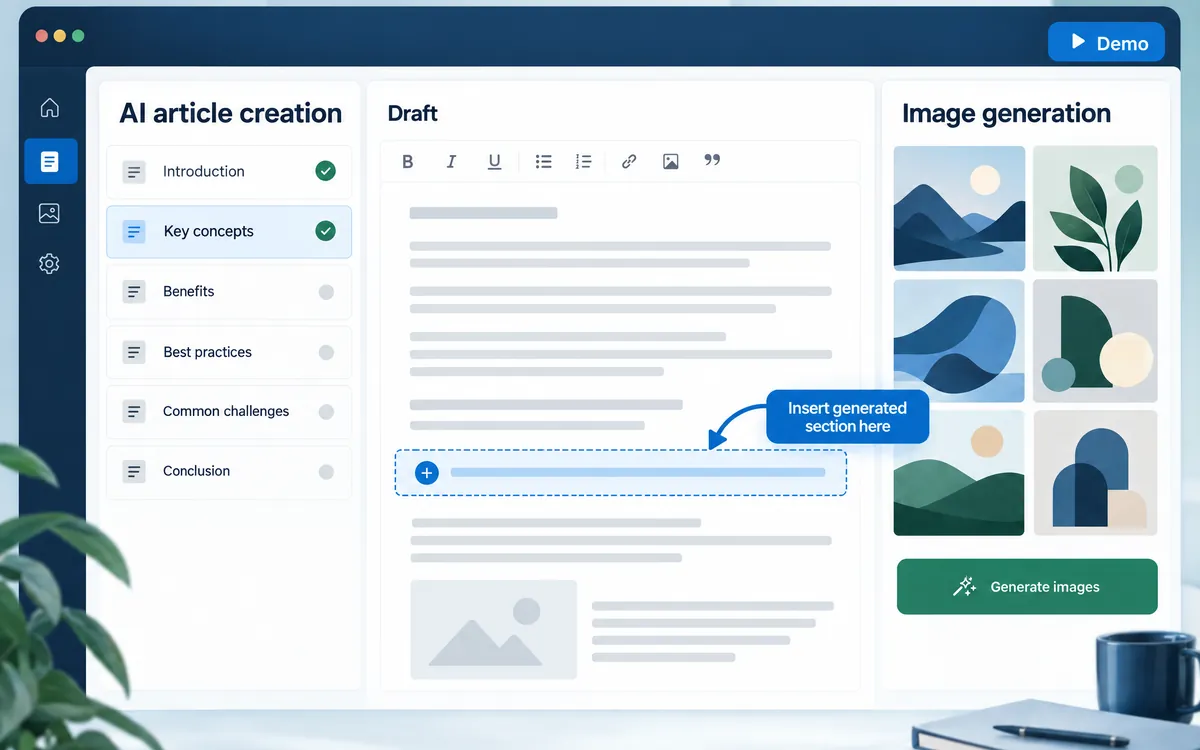
Follow five clear stages
Work through keywords, SEO analysis, writing settings, headings, and article creation.
Review the structure first
Check what the article will cover before creating the body, then edit the resulting draft.
Prepare supporting visuals
Generate a featured image or section images, and choose when your own photos will explain the subject better.
The workflow
- Keywords
- Analysis
- Writing settings
- Outline
- Body and images
- Editing
An example
Agree the explanation first, create a draft, and have someone in your business verify product conditions and figures.
What you can do on screen
- Choose from four article length presets or set a custom length.
- Create articles in Japanese, English, Vietnamese, or Nepali.
- Pick an introduction style: empathy, conclusion first, problem framing, story, or expertise.
- A production brief must be approved before the body is created. If the materials change after approval, approve the brief again.
- Edit headings with the outline builder or as HTML (H2 to H4), and choose whether to generate a featured image and section images.
What to know
AI output can contain mistakes. Review factual claims, names, sources, and images before publication.
Can I edit the generated text?
Yes. Review and revise it in the article editor. You do not have to accept the AI draft unchanged.
Which languages can I write in?
Japanese, English, Vietnamese, and Nepali. Review the content in that language before publishing.